ItemTally now works inside Claude.
Ask what's low, who has the drill, or drop in a spreadsheet. Claude does the legwork, and nothing changes until you press Confirm.
More and more of the work I see happens in a chat window. People draft the email there, check the numbers there, plan the week there. And then, every time, they leave to go and look something up in another app, and come back to paste it in.
For inventory, that round trip is most of the job. Do we have enough cable ties for Thursday? Who has the good drill? Where did the spare laptops end up? None of these are hard questions. They’re just questions that live in a different tab.
So from today, ItemTally works inside Claude. You connect it once, and Claude can look things up in your register and prepare changes for you, right in the conversation.
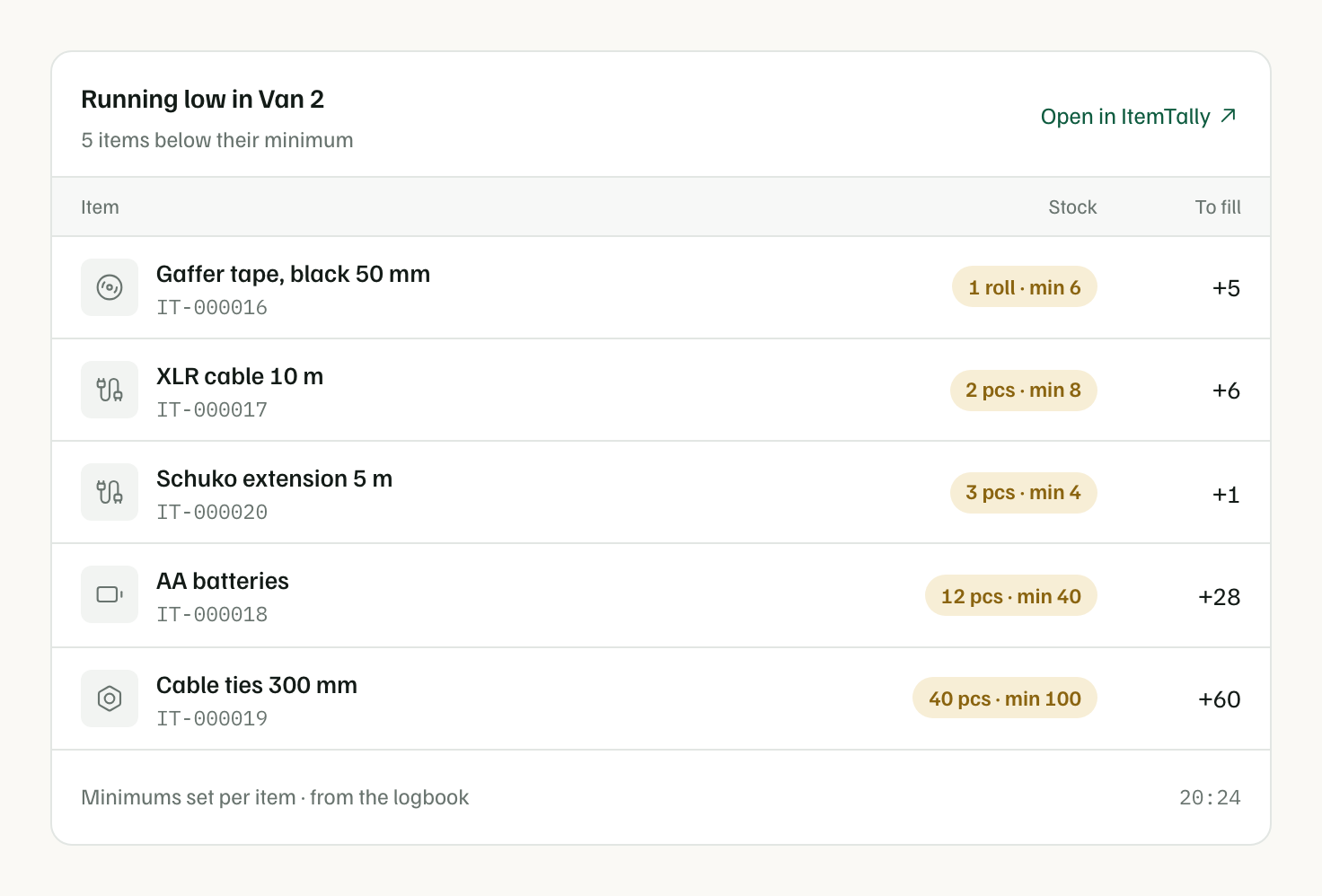
What you can ask
Anything you’d normally click around for:
- “What’s running low in the stockroom?” You get a list card with each item, how many are left, and how many it takes to get back to the minimum.
- “Who has the Makita drill? I need it Thursday.” You get the item card: who has it, when it’s due back, whether anyone has booked it, and the last few things that happened to it.
- “What did we hand out last week?” The answer comes straight from the logbook.
- “How long will the printer paper last?” Claude works it out from what you’ve actually used, not from a guess.
Every answer comes from the same register you use in the app, the one where every change is written down. Claude isn’t working from a copy or a nightly export. It reads the real thing, with your access and nothing more: if you can only see two folders, so can Claude.
Changes wait for you
Looking things up is the easy half. The useful half is doing things: “give Jonas the camera and two batteries until Saturday”, “we used 40 cable ties on the Andersson job”, “add these 42 lights to the Lighting folder”.
Claude can prepare all of those. But here’s the rule I cared most about getting right: Claude can’t change your register on its own. It prepares the change and shows it to you as a card, with the exact items, the person and the due date. Then you press Confirm. Only then does anything happen.
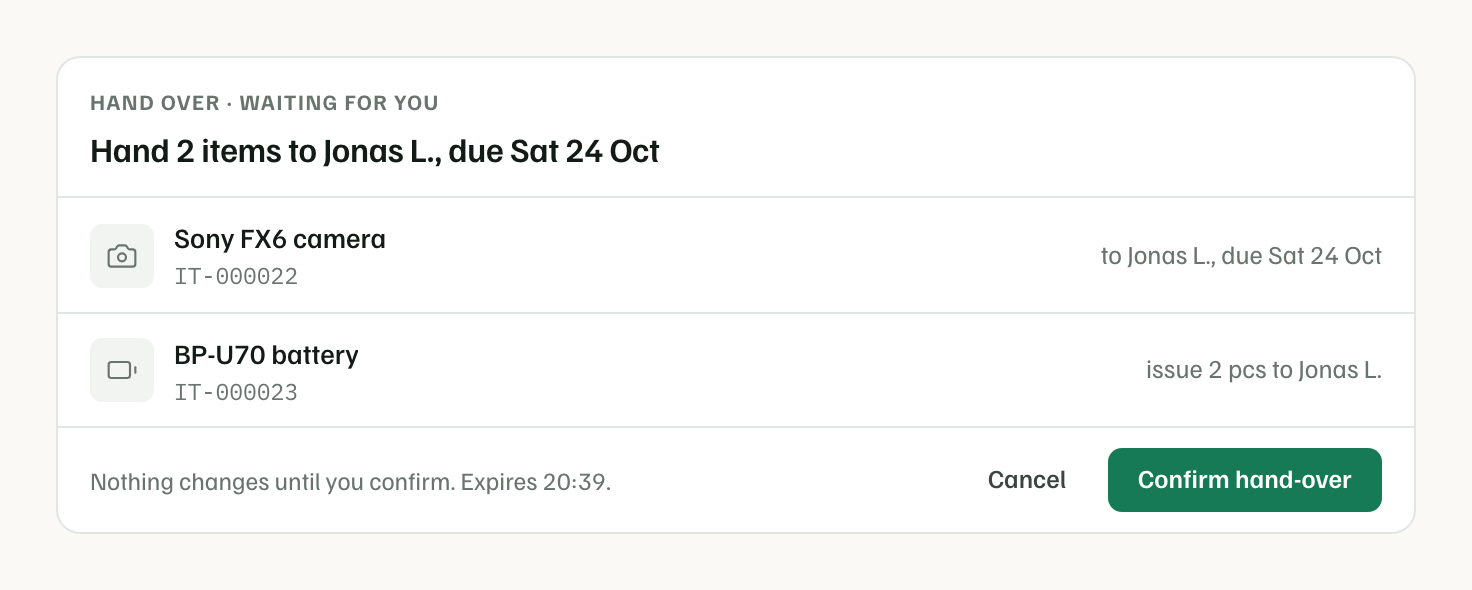
This isn’t a polite instruction we give the AI and hope it follows. It’s built into how the connector works. In Claude, the only way to make a change is the Confirm button on the card, which Claude itself can’t press. A prepared change also expires after 15 minutes, so nothing lingers.
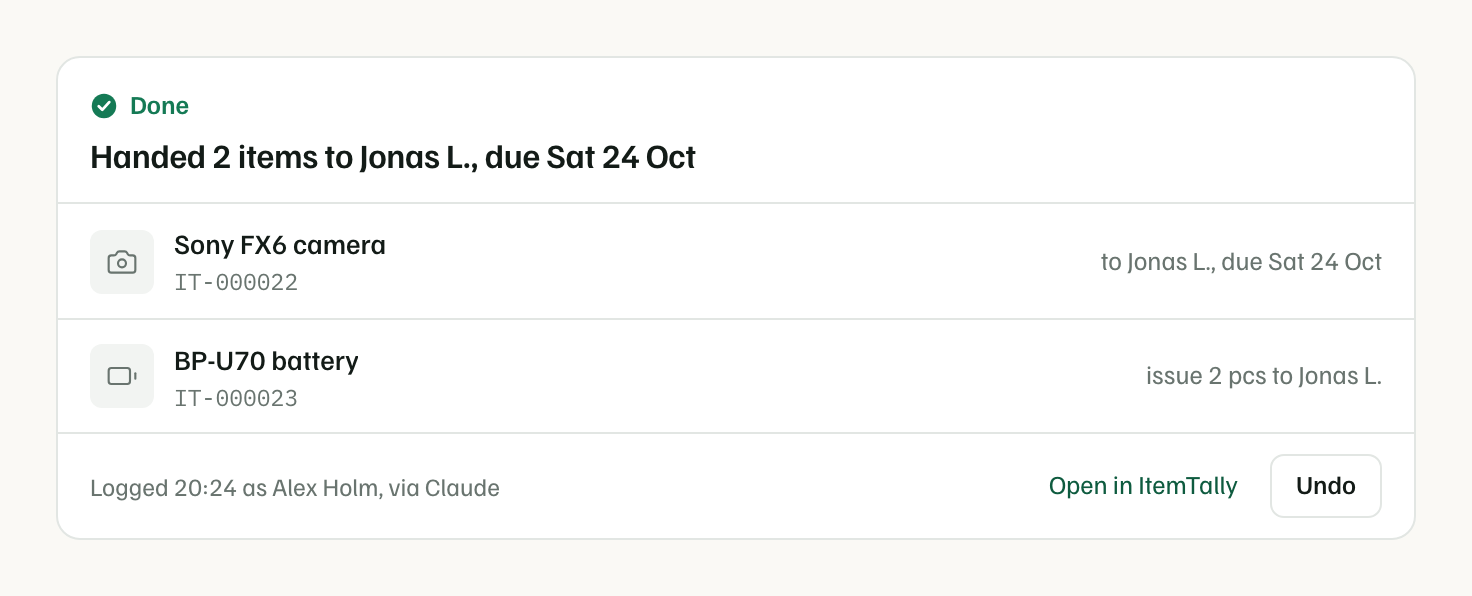
After you confirm, the card turns into a receipt, and it has an Undo button. If you meant the other Jonas, one click puts it all back. Both entries stay in the logbook, because we never rewrite history.
Your spreadsheet, straight into the register
The thing I’ve enjoyed most is importing. Drop a spreadsheet into the chat, the supplier list or last year’s stock count, and say where it goes. Claude matches the columns, spots rows that are already in ItemTally, flags anything odd, like a row with no name, and shows you the whole import before a single item is added.
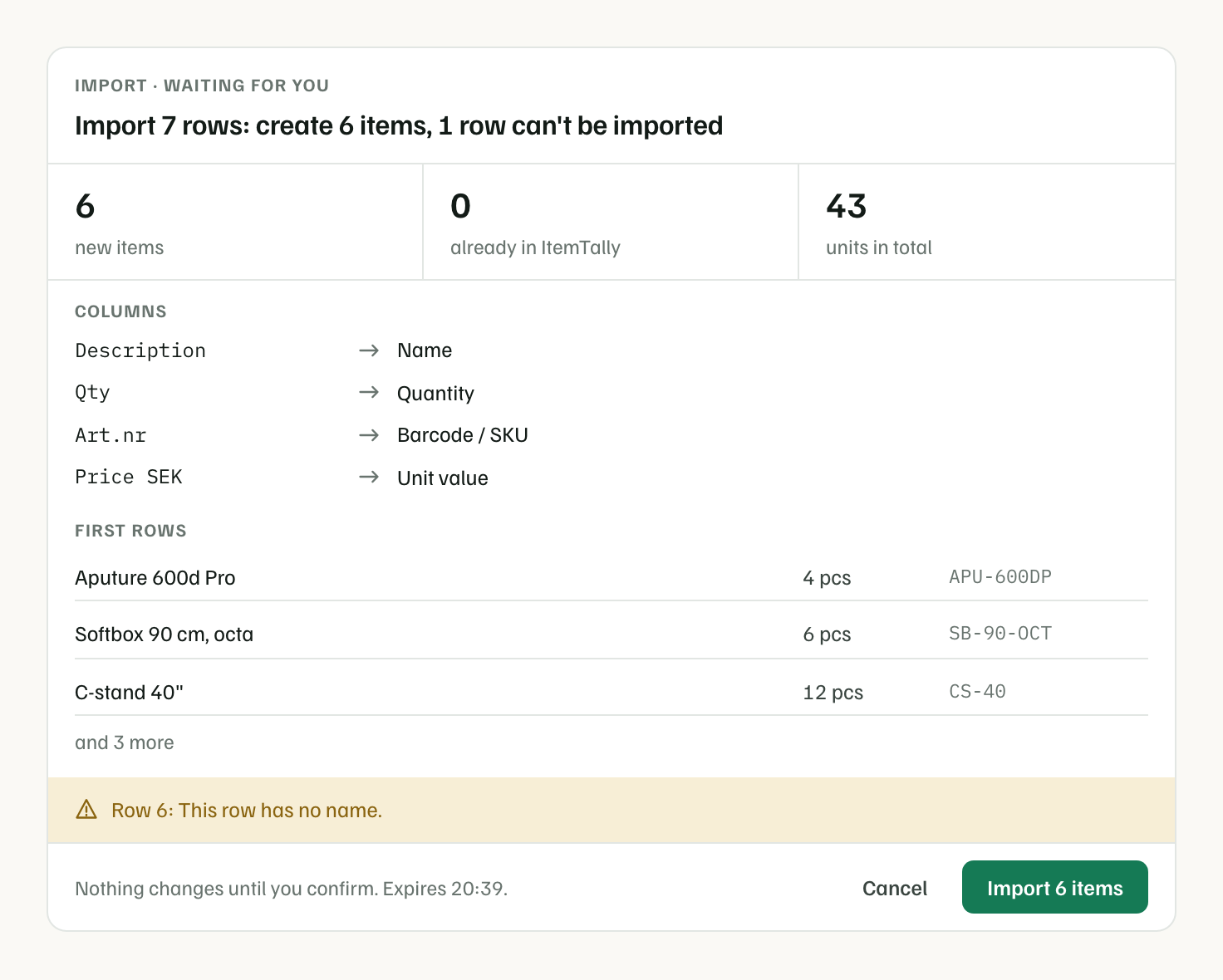
What used to be a careful afternoon with a CSV template is now a message and a click.
Everything stays on the record
Every change made through Claude is logged as yours, with a small note saying how it arrived: “Alex, via Claude”. The logbook can filter on it, so you can always see what came from a conversation and what was done by hand or on the phone.
You stay in charge of the connection, too. When you connect, you choose one workspace and whether Claude can only read or can also prepare changes. Settings → API and MCP lists every connected assistant and who connected it, and Disconnect works instantly. If someone leaves your team, their connection stops with their account.
How to connect
- In Claude, open Settings → Connectors, choose Add custom connector and paste
https://api.itemtally.com/mcp. We’ve also submitted ItemTally to Claude’s connector directory, so soon you’ll be able to add it from there with one click. If you use Claude Code, see the setup guide. - Sign in to ItemTally, pick your workspace, and choose Read or Read and propose changes.
- Ask your first question.
It’s free on every plan, including the free one, the same as our API. Charging for it would mean charging you to reach your own data.
Why we built it this way
I don’t think chat replaces the app. When you’re standing at a shelf with a phone, scanning a label is still the fastest thing there is, and that’s not changing. But a lot of inventory work isn’t standing at a shelf. It’s answering questions, planning the week, and tidying up after a busy one. That part fits naturally into a conversation.
What matters to me is that the conversation doesn’t cost you the thing that makes a register worth having: knowing that what it says is true. So Claude reads the real ledger, it acts only when you confirm, and every change carries your name. Easy on the surface, serious underneath.
ChatGPT is next. If there’s something you’d like to ask your inventory that it can’t answer yet, tell me. I read every message.